

Welcome to the world of digital education! More and more students are using online platforms to learn, and one name you might hear a lot is Apexvs. If you’re wondering what it’s all about, how it works, and how you can succeed using it, you’ve come to the right place. This guide will break down everything you need to know about the Apexvs platform, from logging in to acing your courses. We’ll explore its features, offer tips for success, and answer common questions to help you feel confident in your online learning journey.
Key Takeaways
- What is Apexvs? Apexvs is an online learning platform used by schools to offer courses, credit recovery, and test preparation for students.
- Flexibility is Key: The platform allows students to learn at their own pace, providing a flexible alternative to traditional classroom settings.
- Interactive Learning: Courses include a mix of videos, readings, interactive exercises, and assessments to keep you engaged.
- Success Requires Discipline: To do well with Apexvs, you need strong time management skills, self-motivation, and a willingness to seek help when needed.
- Support is Available: The platform has built-in support tools, and your school’s teachers and counselors are there to help you navigate your courses.
What Exactly Is Apexvs?
At its core, Apexvs, often known as Apex Learning, is a digital curriculum provider. Think of it as a virtual school building filled with classrooms, textbooks, and teachers, all accessible from your computer. Schools and districts across the United States partner with Apex Learning to provide students with a wide range of online courses. These aren’t just simple reading assignments; they are comprehensive educational programs designed to meet state standards.
The platform is used for several reasons. Some students use it for their entire curriculum as full-time online learners. Others use it to take a specific class that might not be offered at their physical school, like a unique foreign language or an advanced placement (AP) course. A very common use for Apexvs is credit recovery. If a student fails a course, they can often retake it through the platform to get back on track for graduation. It provides a second chance to master the material in a different format. This flexibility makes it a powerful tool for modern education, catering to the diverse needs of today’s students.
The History and Evolution of Apexvs
Apex Learning wasn’t just created overnight. It was founded in 1997 by the philanthropist Paul Allen, who was also the co-founder of Microsoft. The initial goal was to provide high-quality Advanced Placement (AP) courses online, making them accessible to students everywhere, regardless of what their local school could offer. This was a revolutionary idea at the time, leveraging the growing power of the internet for education. The focus was on creating rigorous, engaging content that could stand up to the high standards of AP curriculum.
Over the years, the platform expanded far beyond its original mission. Leaders in education saw the potential for online learning to address more than just advanced studies. The company developed a broader range of courses, including core subjects, electives, and crucial credit recovery programs. The technology behind Apexvs also evolved, becoming more interactive and user-friendly. It shifted from being a simple content repository to a dynamic learning environment with multimedia elements, adaptive activities, and robust tools for both students and teachers. This continuous evolution has allowed it to remain a relevant and effective solution for school districts nationwide.
How Does the Apexvs Platform Work?
Navigating a new online platform can feel a little intimidating, but Apexvs is designed to be straightforward. Once your school enrolls you in a course, you’ll receive login credentials. Let’s walk through the typical student experience.
Logging In and Accessing Your Dashboard
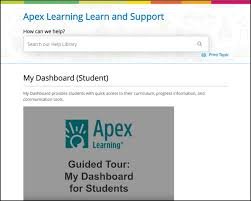
Your journey begins at the Apexvs login portal. You’ll enter your username and password provided by your school. After logging in, you land on your student dashboard. This is your command center. It gives you a clear overview of all the courses you are enrolled in. The dashboard is designed for clarity, showing your current progress in each course, your grade so far, and any alerts or messages from your teachers. This immediate feedback is incredibly helpful for staying on top of your work. From here, you can click into any course to start your lessons.
Course Structure and Navigation
Inside a course, the content is typically organized into units, and each unit is broken down into smaller lessons. This structure makes the curriculum easy to follow. You’ll usually see a navigation menu on the side that lists all the units and lessons, allowing you to see what’s coming up. Most courses require you to complete activities in a specific order to ensure you’re building knowledge logically. As you complete each part of a lesson—whether it’s a reading, a video, or a short quiz—the system will mark it as complete, giving you a visual sense of accomplishment and making it easy to pick up where you left off.
Core Features of Apexvs Courses
An Apexvs course is much more than a digital textbook. The platform incorporates a variety of features designed to support different learning styles and keep you actively involved in the material.
- Study Guides: Most lessons come with guided notes or study sheets. These are printable outlines that you can fill out as you go through the material. This is an excellent way to practice active learning, as it prompts you to identify key concepts and organize information.
- Multimedia Content: You won’t just be reading pages of text. Courses are rich with multimedia, including instructional videos that explain complex topics, audio clips for language courses, and interactive simulations that let you explore concepts hands-on.
- Practice and Quizzes: Throughout each lesson, you’ll encounter practice problems and short, graded quizzes. These are designed to check your understanding before you move on. The “Checkup” activities are a great way to see if you’ve grasped the main ideas.
- Teacher and Peer Interaction: While you work independently, you’re not alone. The platform has messaging tools to communicate with your teacher. Some courses may also include discussion forums where you can interact with classmates.
- Assessments: At the end of each unit, you will typically take a Computer-Scored Test (CST) and sometimes a Teacher-Scored Test (TST). CSTs are multiple-choice and graded automatically, while TSTs may involve essays or projects that your teacher grades.
Different Types of Apexvs Programs
The Apexvs platform is versatile and used by schools to meet a variety of student needs. While the core technology is the same, the programs themselves can serve very different purposes.
Full-Time Virtual Schooling
For some students, Apexvs is their primary school. This option is ideal for those who need a flexible schedule due to health reasons, athletic training, or other personal circumstances. In a full-time virtual program, students take a complete course load online, interacting with teachers and peers through the digital platform. It offers a comprehensive school experience from the comfort of home.
Credit Recovery Programs
This is one of the most common uses of the platform. When a student doesn’t pass a required course, they risk falling behind on their graduation plan. Credit recovery programs using Apexvs allow that student to retake the course in a focused, self-paced environment. The curriculum is often more streamlined, concentrating on the essential concepts needed to demonstrate mastery. This provides a critical pathway for students to get back on track and earn their high school diploma.
Expanding Course Catalogs
What if your school doesn’t offer Japanese, Marine Biology, or AP Macroeconomics? Apexvs helps schools bridge these gaps. Districts can use the platform to offer a wide array of electives and Advanced Placement courses that they might not have the staff or resources to teach in person. This gives students the opportunity to explore their interests, challenge themselves academically, and build a more impressive college application, all without leaving their home district.
Tips and Tricks for Success with Apexvs
Online learning requires a different set of skills than traditional classroom learning. Being successful with Apexvs is all about discipline, organization, and knowing how to use the platform to your advantage.
Create a Consistent Schedule
The flexibility of online learning is a huge benefit, but it can also be a pitfall. Without a set bell schedule, it’s easy to procrastinate. The best way to combat this is to create your own schedule. Dedicate specific blocks of time each day to your Apexvs coursework. Treat these blocks like real classes. Show up, focus, and do the work. A consistent routine will help you stay on track and prevent you from falling behind.
Stay Organized
Keep track of your progress and deadlines. Use a planner, a digital calendar, or the tools within the Apexvs dashboard to monitor your assignments. For each course, understand the syllabus and the due dates for major tests and projects. Breaking down large assignments into smaller, manageable tasks can make them feel less overwhelming. For great tips on staying on top of school and life, you can find helpful articles on sites like ItsHeadline.
Minimize Distractions
Your learning environment matters. When you’re working on your Apexvs courses, find a quiet space where you can focus. Turn off your phone or put it in another room. Close unnecessary tabs on your browser. The fewer distractions you have, the more efficient your study time will be, and the better you will retain the information you are learning.
Take Effective Notes
Don’t just passively watch the videos or click through the slides. Engage with the material actively. Use the study guides provided or a separate notebook to take detailed notes. Writing things down helps reinforce your learning. Try to summarize concepts in your own words—this is a powerful way to check if you truly understand them. These notes will become an invaluable resource when you’re studying for tests.
Understanding the Apexvs Grading System
The grading system in Apexvs is designed to be transparent, giving you a real-time view of your performance. Your overall grade is a composite of all the graded work you do in the course.
|
Component |
Description |
Typical Weight |
|---|---|---|
|
Quizzes/Checkups |
Short, graded activities within each lesson to check understanding. |
10-20% |
|
Journals/Discussions |
Written assignments or interactive forum posts, scored by the teacher. |
5-15% |
|
CSTs |
Computer-Scored Tests at the end of units. Usually multiple-choice. |
30-40% |
|
TSTs |
Teacher-Scored Tests, which may include essays, projects, or short answers. |
15-25% |
|
Final Exam |
A comprehensive exam covering all course material. Often proctored. |
20-30% |
Your grade is constantly updated on your dashboard as you complete assignments. This feature, known as the “Grade to Date,” shows you exactly where you stand at any moment. It calculates your current grade based only on the assignments you have completed so far. This helps you monitor your progress and identify any areas where you might need to improve.
The Role of Teachers and Mentors
Even though you are learning online, you are not on your own. Your school assigns certified teachers to each Apexvs course. These teachers are your primary resource for academic help. They are responsible for grading your written assignments, answering your questions about the material, and providing feedback on your progress. You can communicate with them through the platform’s internal messaging system. Don’t hesitate to reach out if you’re stuck on a concept or need clarification on an assignment.
In addition to your course teacher, many schools also assign a mentor or facilitator. This person is often a staff member at your physical school, like a counselor or a dedicated lab monitor. Their role is less about the course content and more about keeping you on track. They monitor your pacing, help you with technical issues, and act as a liaison between you, your course teacher, and your school. This support system is crucial for helping you navigate the unique challenges of online learning.
Conclusion: Empowering Your Educational Journey
The Apexvs platform is a powerful tool in the landscape of modern education. It offers a flexible and comprehensive way for students to learn, whether they are taking a single advanced course, catching up on a failed credit, or attending school entirely online. By providing an interactive curriculum filled with diverse activities, it caters to various learning styles and gives students control over their educational pace.
Success in this environment hinges on self-discipline, proactive communication, and strong organizational skills. By creating a schedule, minimizing distractions, and actively engaging with the course material, you can master your subjects and achieve your academic goals. Remember to use the resources available to you, including your teachers and mentors. The rise of digital learning platforms is a significant trend in education, and as you can learn more about on Wikipedia’s page on virtual learning environments, these tools are continually shaping how knowledge is delivered and acquired. With the right approach, Apexvs can be a key that unlocks a world of opportunity for you.

Frequently Asked Questions (FAQ)
Q1: Can you cheat on Apexvs?
A: The Apexvs platform has several measures in place to ensure academic integrity, such as timed tests, randomized questions, and plagiarism detectors for written work. Schools also often require major exams to be proctored, meaning a teacher or monitor watches you take the test. Attempting to cheat can result in a failing grade, suspension, or other serious academic consequences. It is always best to do your own work.
Q2: Are Apexvs courses hard?
A: The difficulty of an Apexvs course is comparable to that of a traditional high school class. The courses are designed to be rigorous and meet state and national standards. The main challenge for many students is not the content itself, but the self-discipline required for online learning. If you stay on top of your work and seek help when you need it, you can be successful.
Q3: How long does it take to finish an Apexvs course?
A: The time it takes to finish a course depends on the program and your personal pace. A standard semester-long course is designed to take about 18 weeks, just like in a traditional school. However, in credit recovery or summer school programs, students may be able to work at an accelerated pace and finish more quickly, sometimes in just a few weeks, provided they master the material.
Q4: Can I use Apexvs on my phone?
A: While the platform is browser-based and may be accessible on a mobile device, it is not optimized for a small screen. Many of the interactive elements, simulations, and testing features work best on a laptop or desktop computer. For the best experience and to ensure all features function correctly, it is highly recommended to use a computer.
Q5: What happens if I fail a test in Apexvs?
A: Policies on retakes can vary by school district. In many cases, students are allowed one or two opportunities to retake a unit test (CST). Usually, you must review the material or complete a remediation assignment before you are granted a retake. Your teacher or mentor can provide specific details on your school’s policy. The goal is to ensure you master the content, so use any retake opportunity to learn from your mistakes.


